AI builds the app.
You operate it in Basevolt.
For developers who shipped an app and now spend every morning in a database client. Connect once — Postgres, MySQL, SQLite or D1 — and get the admin panel you keep putting off: grid, kanban, gallery, dashboards, webhooks.
Local-first. No cloud, no account. Your agent can configure it over MCP.
Free · no account · macOS / Windows
Done — your orders back office is live in Basevolt:
- Customers show up by name instead of raw IDs
- Statuses, totals and dates read like a real back office
- idID
- customer_idCustomer
- statusStatus
- totalTotal
- created_atCreated At
- notesNotes
ID | Customer | Status | Total | Created At | Notes | |
|---|---|---|---|---|---|---|
1042 | Ava Chen | Paid | 129.00 | 2026-10-17 | ship today | |
1041 | Marcus Vance | Pending | 48.50 | 2026-10-17 | ||
1040 | Leo Fischer | Refunded | 210.00 | 2026-10-16 | wrong size | |
1039 | Noor Haddad | Paid | 19.00 | 2026-10-16 | ||
1038 | Ravi Patel | Pending | 72.00 | 2026-10-16 | gift wrap | |
1037 | Ava Chen | Paid | 340.00 | 2026-10-16 | priority | |
1036 | Elena Rostova | Shipped | 64.00 | 2026-10-15 | ||
1035 | Kenji Sato | Refunded | 85.00 | 2026-10-15 | damaged box |
How it works
Connect, configure, and then actually live in it
Connect your database
PostgreSQL, MySQL, SQLite, or Cloudflare D1. It reads an existing schema as-is — no migration, no config file, no SQL to write.
Your agent configures it
Connect the MCP server and ask your agent to set the panel up: real field types, links between tables, the views that match how you work. No API-key juggling if you already use Claude Code or Cursor.
Run it every day
Orders waiting on you, tickets in review, tasks that moved — as a board or a queue, not a row count. Open it in the morning and see what needs a decision.
Where the panel ends and the agent begins.
Three ways a job gets done: you click it, a webhook carries it, or your agent does it. The panel handles what is too frequent, too hard to undo, or too annoying to explain in a prompt.
You click it
Approvals, refunds, status moves. High frequency, hard to undo, and tedious to describe to an agent every single time.
The webhook carries it
Click approve and the machine does the rest — it fires your endpoint, sends the email, and keeps the delivery log.
Your agent does it
Schema changes, bulk cleanups, first-time setup. Low frequency and worth explaining — so it belongs in a prompt, not a settings screen.
Buttons, webhooks, and the MCP server are on Hobby. Pro is for more projects and more machines.
Built for the day after launch.
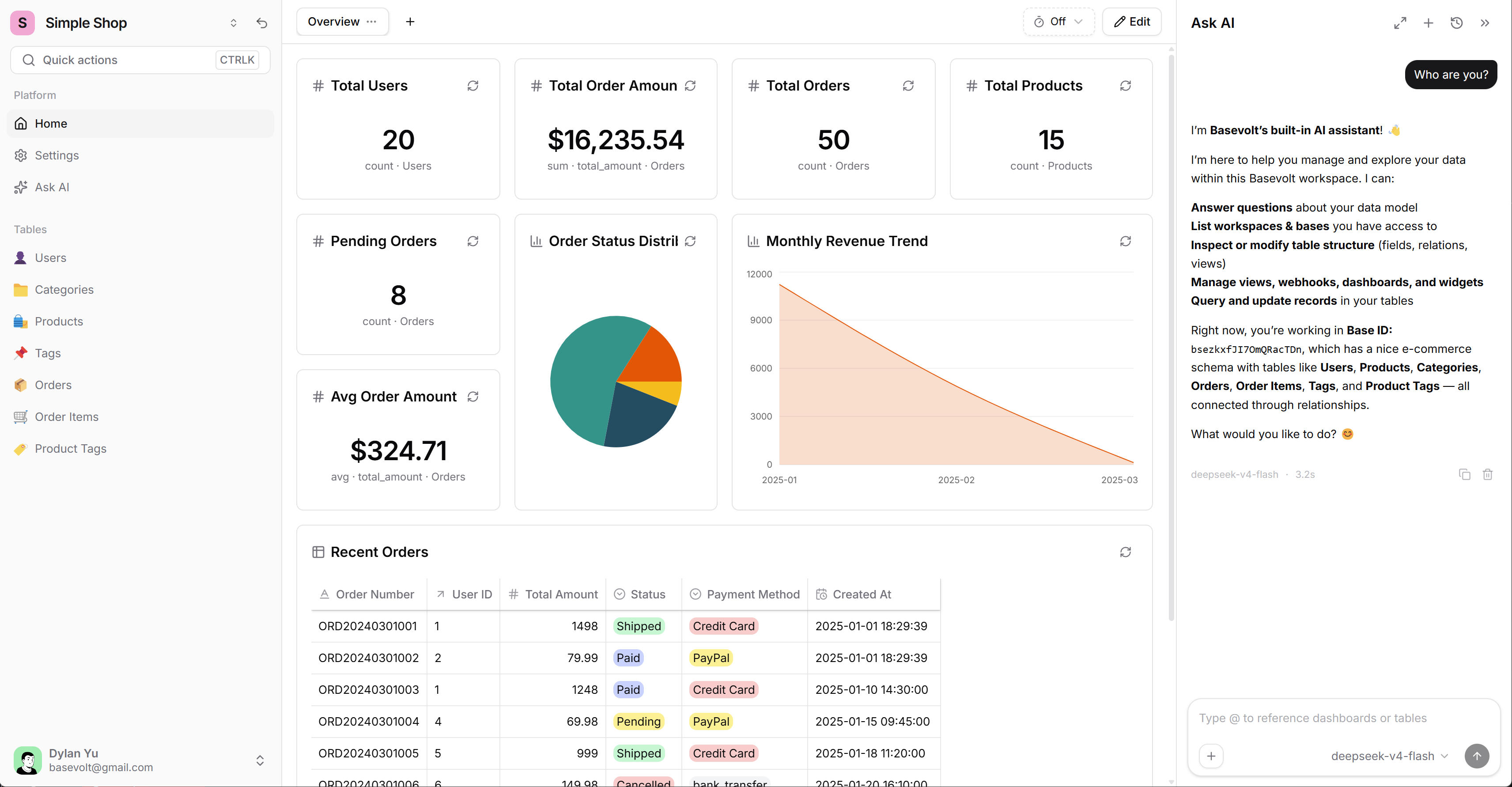
Local-First Architecture
Connect directly to your database. All processing happens on your machine — your data never leaves.
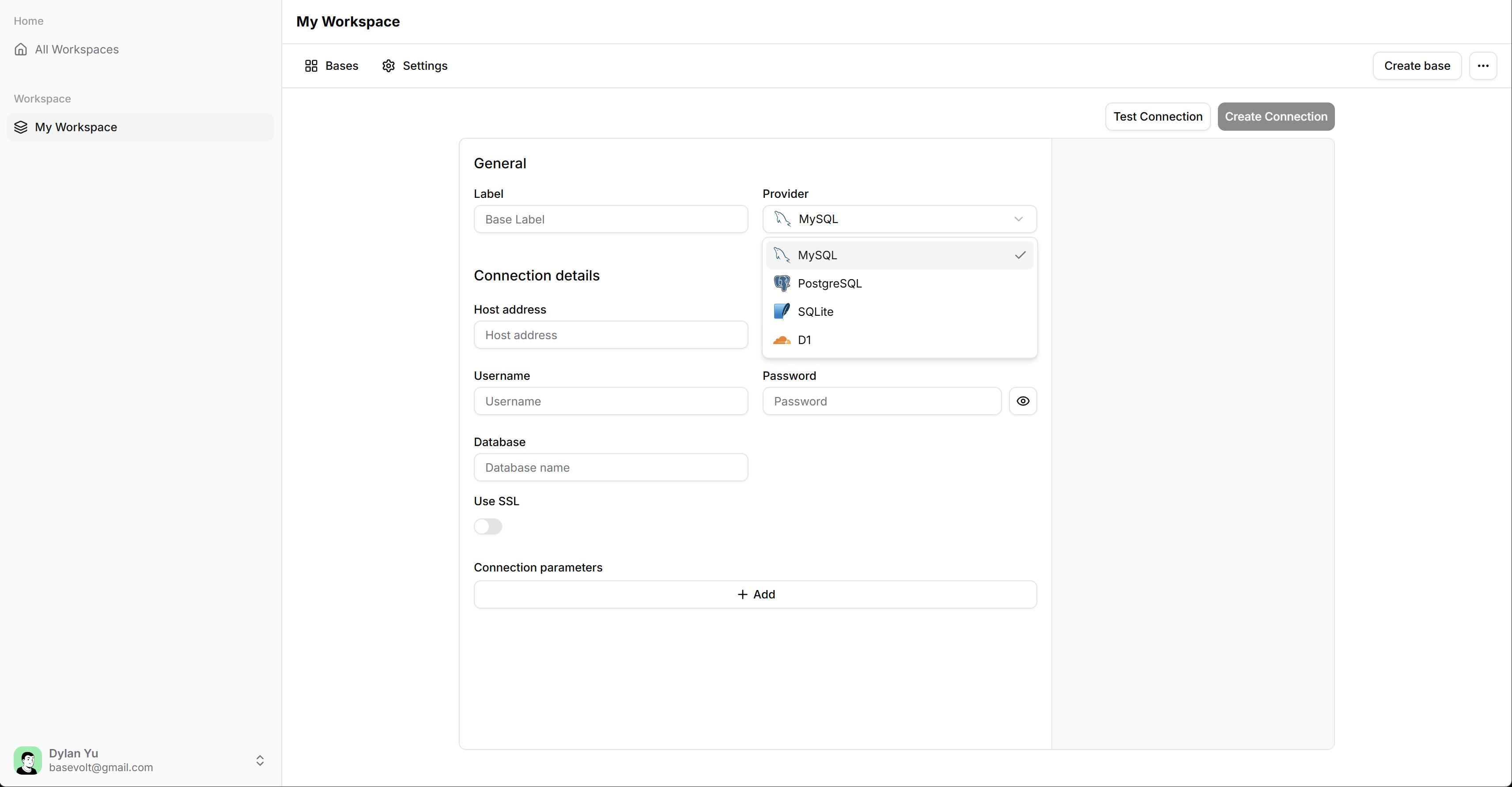
Every project in one window
Five apps, five databases — Postgres here, SQLite there, a D1 for the Cloudflare one. One window, one set of views, no tab-hopping between clients.
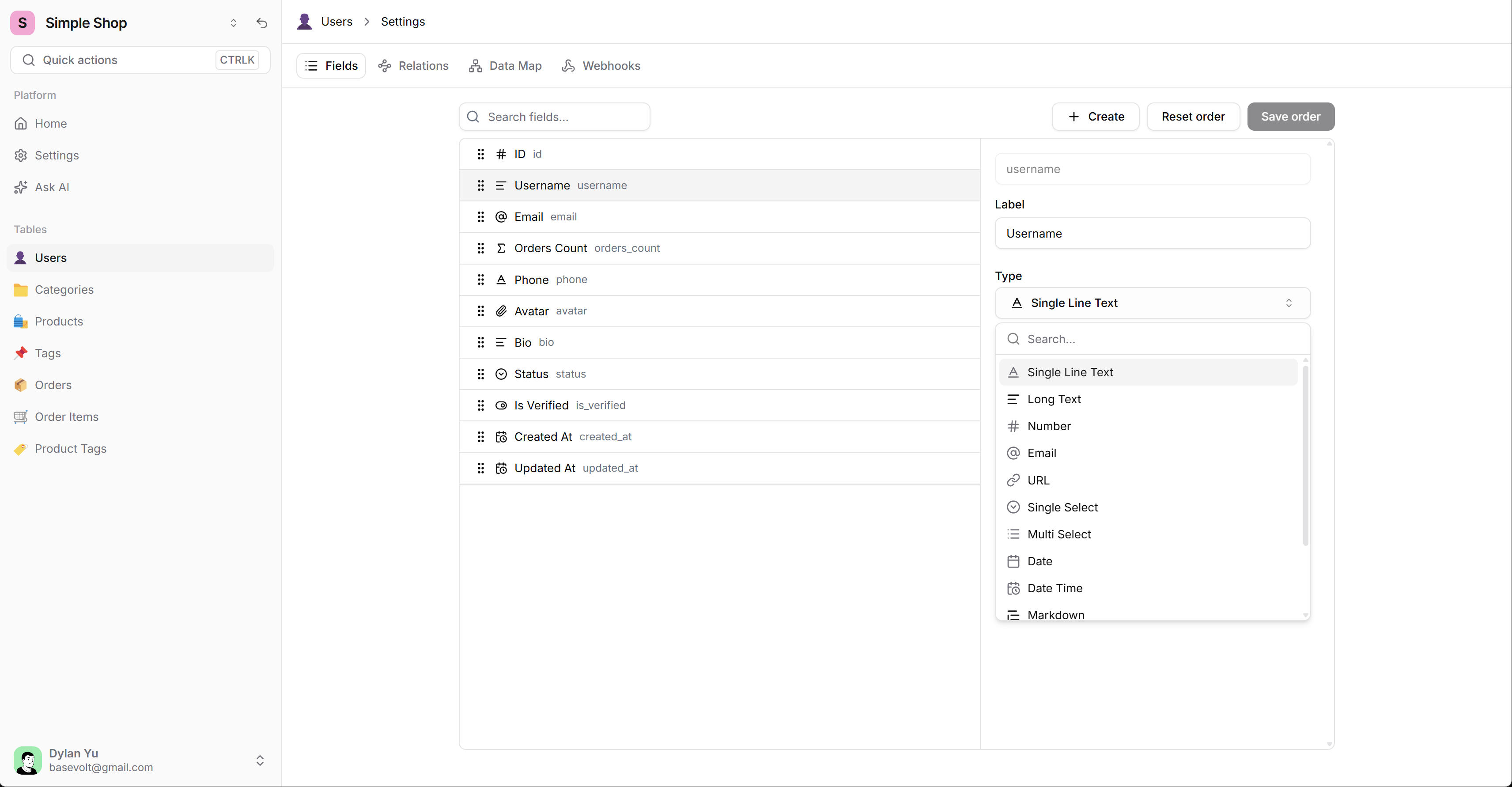
Virtual UI Customization
Rename fields and format values — all display-only changes. Your original schema stays untouched.
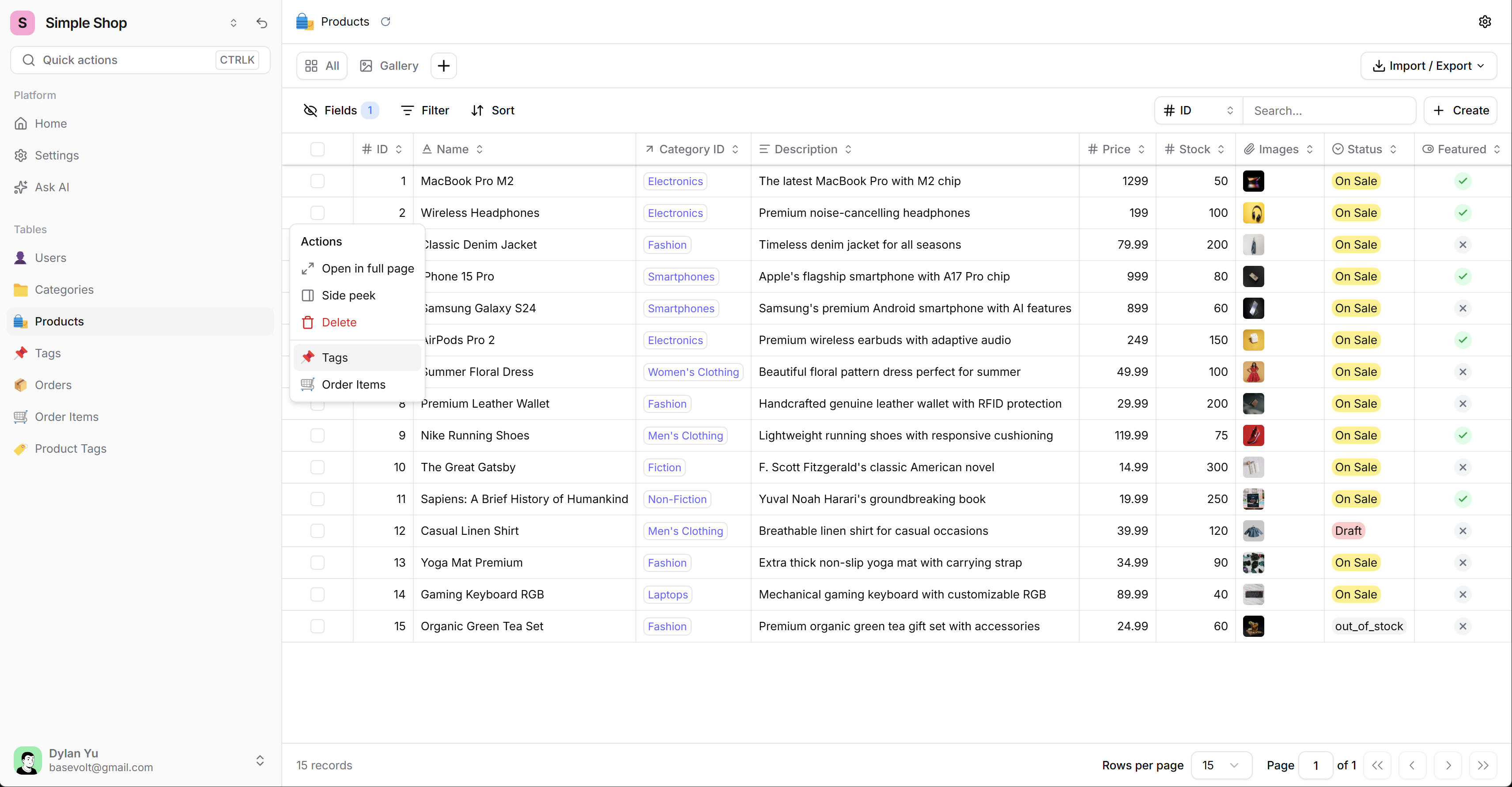
See the whole story
An order opens its customer, its line items, its payment. One click away, and it works even when the database has no foreign keys defined.
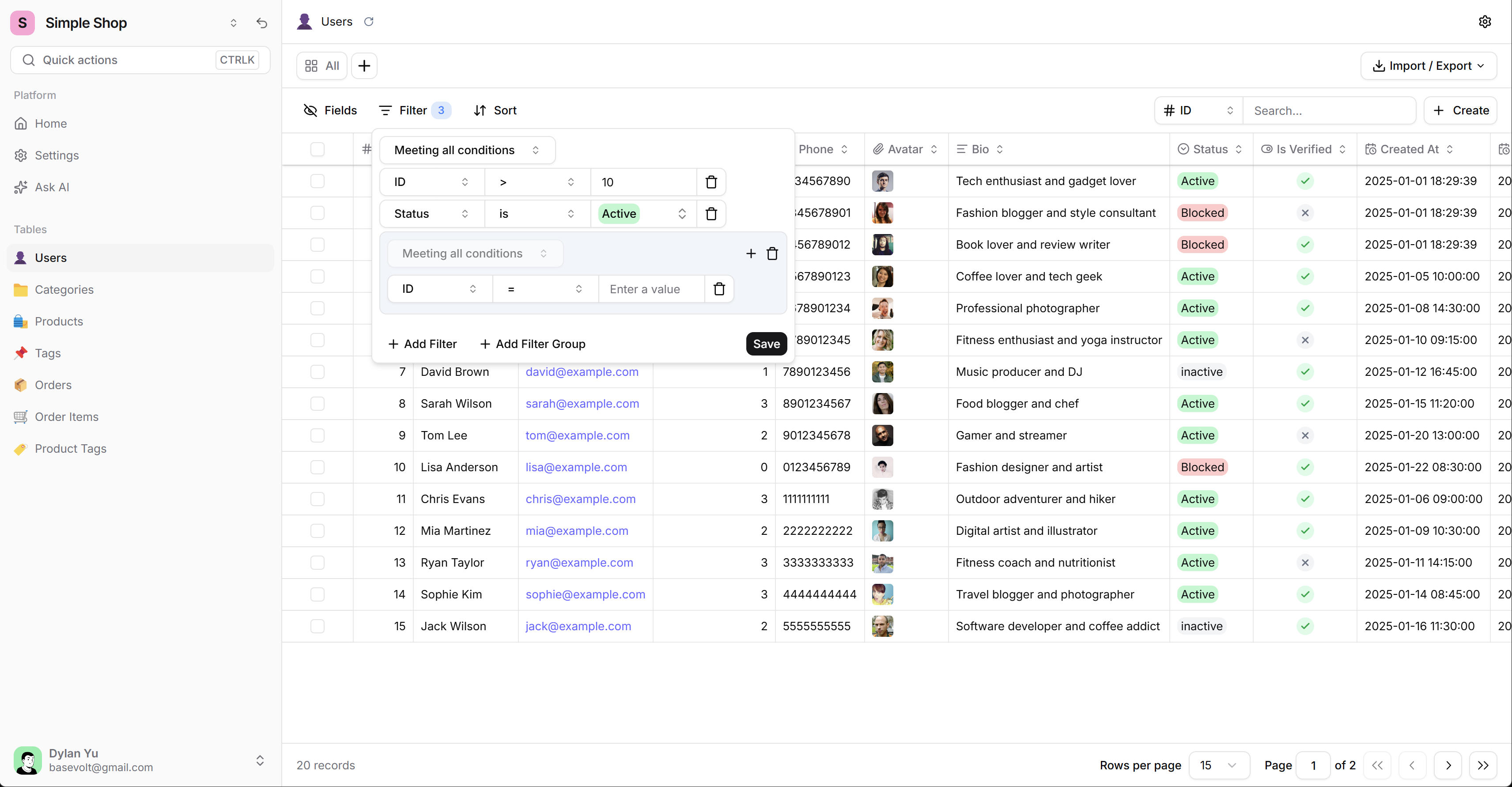
Fast Filter & Sort
Multi-condition filters, multi-field sort, full-text search. Pinpoint what matters in large datasets instantly.
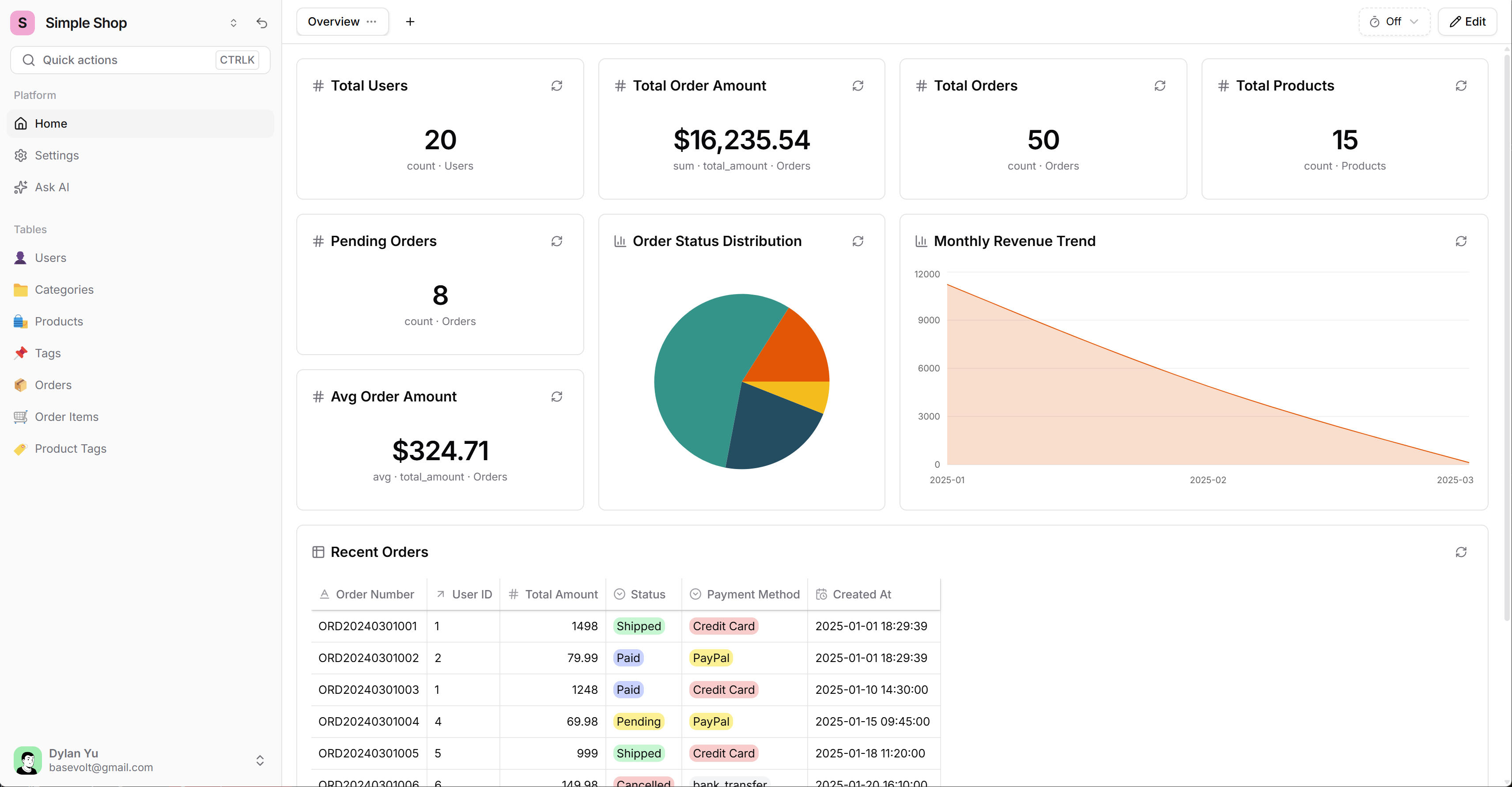
What needs you today
A dashboard of things that are wrong or waiting — not a prettier version of SELECT *. Pending refunds, stuck orders, records that broke a rule.
Start free. Upgrade when you need more.
No account required to start. Pro is for more projects and more machines — not for a headcount.
Hobby
FreeThe panel you open every morning.
- 2 projects on one machine.
- Full CRUD Suite.
- Smart Field Types.
- Virtual UI Customization.
- Webhooks & action buttons with delivery logs.
- MCP server — your agent configures the panel.
No credit card required. Start in seconds.
Pro
$99/yearFor the person running several projects.
- Everything in Hobby, plus:
- Unlimited projects.
- Cross-device sync — up to 3 machines.
- Unlimited data sources per project.
- Yearly fallback license.
Perpetual fallback — stop paying, keep your version.
Works with the stack your agent picked
Point it at the database your app already runs on. Same connection string, no migration, no export.

PostgreSQL
The default for agent-built SaaS — Supabase, Neon, Railway, or your own server.
PostgreSQL panel →
MySQL
The older web apps your agent inherited — and the ones it still picks for classic hosting.
MySQL panel →
SQLite
The .db file your agent just generated for a local tool, a prototype, or a desktop app.
SQLite guide →
Frequently Asked Questions
Everything you need to know about Basevolt
Yes. Hobby is free, needs no account, and covers 2 projects on one machine — CRUD, views, dashboards, webhooks, and the MCP server included. Pro lifts the project limit.
Basevolt currently supports PostgreSQL, MySQL, SQLite, and Cloudflare D1. It also works seamlessly with cloud services like Supabase that use these protocols.
Absolutely! Basevolt doesn't require you to start from scratch. Connect and manage any of your existing databases right away.
Yes. All connection credentials are encrypted and stored locally on your machine. Your data never leaves your control.
Pro removes the project limit (Hobby covers 2), adds cross-device sync for up to 3 machines, and comes with a yearly fallback licence. Webhooks, action buttons, and MCP are in both plans.
You'll retain permanent access to all features available in the version you were using at expiration. No functionality loss.
Yes! Pro supports up to 3 devices simultaneously. You can add or remove devices at any time.
Yes. Run sqlited on your server — it's a single-binary SQLite HTTP server with a D1-compatible REST API. Connect Basevolt to the sqlited endpoint and manage your remote SQLite files with the same visual interface as local databases. No cloud account required.
Not necessarily. A built-in one-click setup generates a basic panel with no key at all. For real configuration — field types, relationships, the views that match your workflow — connect an agent over MCP (Claude Code, Cursor, and others) or bring your own key for Claude, OpenAI, or Gemini.
Yes. Basevolt ships an MCP server, so Claude Code, Cursor, or Codex can read your schema and set up views, fields, and dashboards on your behalf. Nothing is sent to a Basevolt server — the agent talks to your local app.
Who makes this
I'm Dylan. Basevolt is a one-person product. I built it because I kept hand-writing the same CRUD screens for every app I shipped — first by hand, later with agents. Nine apps I run today live in it: orders, users, content. If something in it annoys me, I fix it, and it shows up in the changelog.
Dylan Yu
Independent developer, building Basevolt
Changelog
2026-10-25
Local Databases, System Tray, AI Setup in One Sentence
Every release is dated and public — no roadmap theatre.
Read the changelogYour agent shipped the app. Now run it.
Connect once and get the panel you keep putting off — local, no account, under ten minutes.